This is a sample module published to the sidebar_top position, using the -sidebar module class suffix. There is also a sidebar_bottom position below the menu.
This is a sample module published to the sidebar_bottom position, using the -sidebar module class suffix. There is also a sidebar_top position below the search.
105 Module Positions
Sample Drop Down Module
This is an example of a module published to the drop_down row. This row contains 6 modules. To enable the drop down simple publish any module to any of the drop_down_x positions.
Open Panel
Register
Login
Search Our Site
MENU
1-800-555-1212
Top Row1 Modules
This is an example of a module published to the top_row_1 row. This row contains 6 modules, read below for a full description.
Top Row2 Modules
This is an example of a module published to the top_row_2 row. This module is using the class "-white" which can be used on any dark background. This row contains 6 modules, read below for a full description.
Top Row3 Modules
This is an example of a module published to the top_row_3 row. This row contains 6 modules, read below for a full description.
Occasionally we need to use custom html to obtain the layouts shown on our demos in specific modules. The code below is what was used on this template:
Phone Number:
This module is published to the custom_2 position.
These icons are placed in individual module positions on the top_row1 area. Each module contains the code below and use the class suffix -gray_hover.
<div class="insurance_icon_set" data-scroll-reveal="enter from the top after 0s">
<img src="images/icon1.png" />
<br />
<span>Health<br />Insurance</span>
<a class="readon" href="index.php/features-mainmenu-47/template-specific-features">Read
More About This</a>
</div>
Text Next To Icons:
This module uses the class suffix -gray_large.
<span class="highlight_font"
style="font-size:2em;margin-bottom:11px;color:#191919;display:block;font-weight:700">
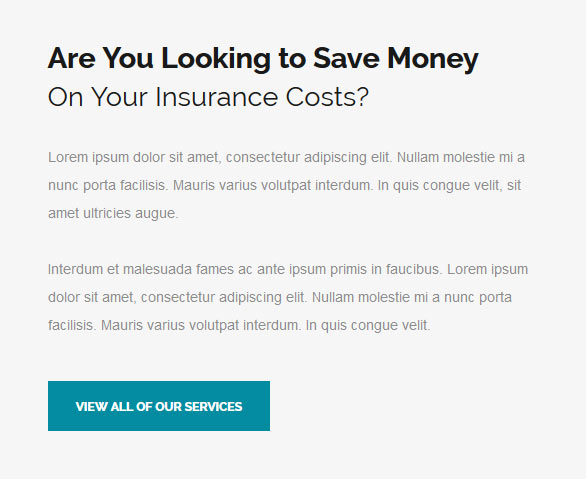
Are You Looking to Save Money
<br />
</span>
<span class="highlight_font" style="font-size:1.9em;color:#191919;">
On Your Insurance Costs?
</span>
<br /><br />
Lorem ipsum dolor sit amet, consectetur adipiscing elit. Nullam molestie mi a
nunc porta facilisis. Mauris varius volutpat interdum. In quis congue velit, sit
amet ultricies augue.
<br /><br />
Interdum et malesuada fames ac ante ipsum primis in faucibus. Lorem ipsum dolor
sit amet, consectetur adipiscing elit. Nullam molestie mi a nunc porta facilisis.
Mauris varius volutpat interdum. In quis congue velit.
<br /><br />
<a href="index.php/features-mainmenu-47/template-specific-features" class="readon">View
All Of Our Services</a>
Customer Quotes:
<div class="customer_wrap">
<div class="custom_item" data-scroll-reveal="enter from the top after 0.1s">
<div class="custom_item_inner">
<img src="images/cust1.jpg" alt="" />
<span class="cust_name">Matt Smith</span>
<span class="cust_text">Lorem ipsum dolor sit amet, consectetur adipiscing elit.
Sed faucibus ante vel aliquam mattis este ant.</span>
<a href="index.php/features-mainmenu-47/template-specific-features"
class="readon">Continue Reading</a>
<div style="clear:both;height:0px"></div>
</div>
</div>
<div class="custom_item" data-scroll-reveal="enter from the top after 0.25s">
<div class="custom_item_inner">
<img src="images/cust2.jpg" alt="" />
<span class="cust_name">Steph Green</span>
<span class="cust_text">Lorem ipsum dolor sit amet, consectetur adipiscing elit.
Sed faucibus ante vel aliquam mattis este ant.</span>
<a href="index.php/features-mainmenu-47/template-specific-features"
class="readon">Continue Reading</a>
<div style="clear:both;height:0px"></div>
</div>
</div>
<div class="custom_item" data-scroll-reveal="enter from the top after 0.4s">
<div class="custom_item_inner">
<img src="images/cust3.jpg" alt="" />
<span class="cust_name">Brian Lockard</span>
<span class="cust_text">Lorem ipsum dolor sit amet, consectetur adipiscing elit.
Sed faucibus ante vel aliquam mattis este ant.</span>
<a href="index.php/features-mainmenu-47/template-specific-features"
class="readon">Continue Reading</a>
<div style="clear:both;height:0px"></div>
</div>
</div>
<div style="clear:both;height:0px"></div>
</div>
Checkmark List For Tab Show:
<ul class="ul_check">
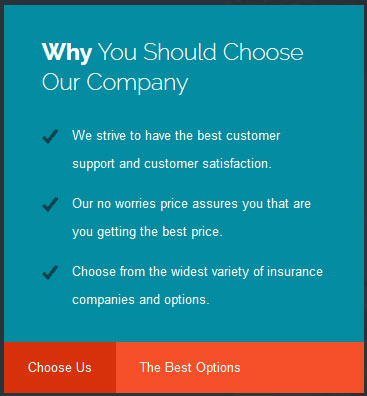
<li>We strive to have the best customer support and customer satisfaction.</li>
<li>Our no worries price assures you that are you getting the best price.</li>
<li>Choose from the widest variety of insurance companies and options.</li>
</ul>
Frequent Questions:
<span class="top_margin" style="margin-top:-5px;">
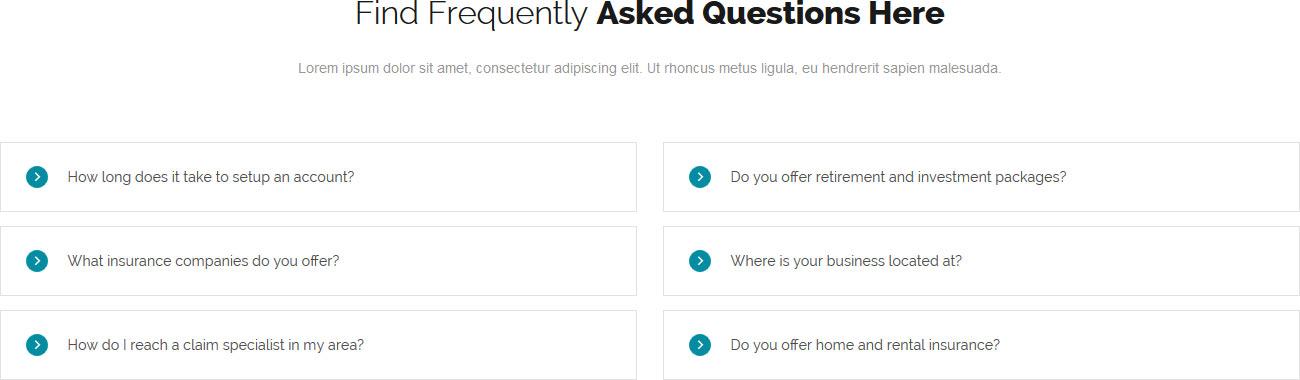
<span class="large_title">Find Frequently <strong>Asked Questions
Here</strong></span>
<span class="large_title_subtext">Lorem ipsum dolor sit amet, consectetur
adipiscing elit. Ut rhoncus metus ligula, eu hendrerit sapien malesuada.</span>
</span>
<section class="ac-container" style="float:left;width:49%;">
<div data-scroll-reveal="enter from the left after 0.1s">
<input id="ac-1" name="accordion-1" type="radio">
<label for="ac-1"><span class="ion-ios-arrow-forward accordion_icon"></span>How
long does it take to setup an account?</label>
<article class="ac-small">
<p> Lorem ipsum dolor sit amet, consectetur adipiscing elit. Donec mattis
gravida justo, a rhoncus sem volutpat in. Pellentesque lacinia lacinia ligula,
eget tempor elit sagittis non. Vestibulum pellentesque lorem nec diam interdum
pellentesque.</p>
</article>
</div>
<div data-scroll-reveal="enter from the left after 0.2s">
<input id="ac-2" name="accordion-1" type="radio">
<label for="ac-2"><span class="ion-ios-arrow-forward accordion_icon"></span>What
insurance companies do you offer?</label>
<article class="ac-medium">
<p>Etiam tempus facilisis ultrices. Nam adipiscing nunc nec est dapibus, eget
eleifend velit mattis. Curabitur facilisis a rhoncus sem volutpat in condimentum
augue at viverra. Ut ut tortor feugiat, dignissim nulla non, venenatis leo.</p>
</article>
</div>
<div data-scroll-reveal="enter from the left after 0.3s">
<input id="ac-3" name="accordion-1" type="radio">
<label for="ac-3"><span class="ion-ios-arrow-forward accordion_icon"></span>How
do I reach a claim specialist in my area?</label>
<article class="ac-large">
<p> Morbi nunc nunc, elementum quis tortor et, feugiat pharetra eros. Mauris
mattis purus at lobortis auctor. Nullam eros velit, laoreet vel libero posuere,
a rhoncus sem volutpat in eleifend ornare libero. Cras iaculis interdum dui.
</p>
</article>
</div>
</section>
<section class="ac-container" style="float:right;width:49%;">
<div data-scroll-reveal="enter from the right after 0.1s">
<input id="ac-4" name="accordion-2" type="radio">
<label for="ac-4"><span class="ion-ios-arrow-forward accordion_icon"></span>Do
you offer retirement and investment packages?</label>
<article class="ac-small">
<p> Lorem ipsum dolor sit amet, consectetur adipiscing elit. Donec mattis
gravida justo, a rhoncus sem volutpat in. Pellentesque lacinia lacinia ligula,
eget tempor elit sagittis non. Vestibulum pellentesque lorem nec diam interdum
pellentesque.</p>
</article>
</div>
<div data-scroll-reveal="enter from the right after 0.2s">
<input id="ac-5" name="accordion-2" type="radio">
<label for="ac-5"><span class="ion-ios-arrow-forward accordion_icon"></span>Where
is your business located at?</label>
<article class="ac-medium">
<p>Etiam tempus facilisis ultrices. Nam adipiscing nunc nec est dapibus, eget
eleifend velit mattis. Curabitur facilisis a rhoncus sem volutpat in condimentum
augue at viverra. Ut ut tortor feugiat, dignissim nulla non, venenatis leo.</p>
</article>
</div>
<div data-scroll-reveal="enter from the right after 0.3s">
<input id="ac-6" name="accordion-2" type="radio">
<label for="ac-6"><span class="ion-ios-arrow-forward accordion_icon"></span>Do
you offer home and rental insurance?</label>
<article class="ac-large">
<p> Morbi nunc nunc, elementum quis tortor et, feugiat pharetra eros. Mauris
mattis purus at lobortis auctor. Nullam eros velit, laoreet vel libero posuere,
a rhoncus sem volutpat in eleifend ornare libero. Cras iaculis interdum dui.
</p>
</article>
</div>
</section>
Frequent Questions:
This module uses the class suffix -gray_large.
<div class="phone_wrap">
<div class="phone_wrap_right">
<span class="large_title">Receive Online Acces <strong>To Your
Account</strong></span>
<span class="large_title_subtext">Lorem ipsum dolor sit amet, consectetur
adipiscing elit. Ut rhoncus metus ligula, eu hendrerit sapien malesuada. In hac
habitasse platea dictumst.</span>
<a class="readon" href="index.php/features-mainmenu-47/template-features/responsive-layout">Read
About Responsive</a>
</div>
<div class="phone_wrap_left" data-scroll-reveal="enter from the top after 0.2s">
<img src="images/phone.png" alt="" />
</div>
<div style="clear:both;height:0px"></div>
</div>
The Mail Chimp Signup module is demo'd on this page. The module is AJAX powered and allows your users to instantly signup and get added to your MailChimp list that you specify in the module admin. All you need to do is enter your MailChimp API Key and Unique List ID. The styling of the module shown here is customized specifically for this template with css overrides, and cannot be used with any other template. The same module can be used on any template, but with default or other styling in its place.
The S5 Quick Contact module is a free module, and is demo'd on this page. This module is a simple way for your visitors to get in contact with you. Sometimes full contact pages are just too much. If you're looking for an easy way to stay in contact with your visitors this module is for you. This module has fully configurable language settings, sends emails to a specified admin account, captcha spam protection and much more! And of course it's free!
The styling of the module shown here is customized specifically for this template with css overrides, and cannot be used with any other template. The same module can be used on any template, but with default or other styling in its place.
Menu Features:
Mail is sent directly through the Joomla mail function, defined under the Joomla globlal configurations. This means the mail can send through direct php mail functions or through SMTP authenticaion.
In addition to the Name and Email fields, you can set up to ten customized fields (all completely optional). These fields can be a regular text input, a full textarea, or a date selection field.
Set any custom field to either required and not required.
The styling of each input, textarea, and button is controlled by common Joomla classes, so it will match your template out of the box. The styling shown on this demo is specific to this template using the mentioned classes.
In addition to the default class names you can also set widths, paddings, and margins.
Predefine a subject or let the user enter their own.
You can customize all error messages to any text or language that you would like directly from the module's backend.
Set the wording for all fields to any words or language that you would like, eg: Name, Email, Phone, etc.
There are multiple layers of spam protections. The first is done by the built in captcha methods, that you can enable or disable. The second is automatic, the script will automatically detect mail headers to prevent spammers. Third, you can enter up to 30 word exclusions that you do not wants your users submitting.
Ion Icons is an iconic font that gives you scalable vector icons that can be customized by any font css command, such as size, color, backgrounds, hover effects and more. Below you will see several examples of this feature in action, but please visit http://ionicons.com/ for a full list of all icons available.
Our Scroll Reveal feature is powered by the script found here: https://github.com/julianlloyd/scrollReveal.js. The script allows you to add "data-scroll-reveal" to HTML elements for on page scroll animations. We recommend adding to DIVs over SPAN etc as DIVs can move vs SPAN tags just fading in. Once you add the code to a DIV refresh a page or scroll down and it will animate in. It will only do this once until you refresh the page again. The great feature about the script is you can use plain English to describe how you'd like to animate your HTML element.
Example of this in action (refresh this page if you didn't see it already):
Enter from the left and move up 50px in 1.33 seconds.
Enter from the bottom after 1 second.
Wait 2.5 seconds and then ease-in-out 100px.
Code used for the above:
<div data-scroll-reveal="enter left and move 50px over 1.33s"> Enter from the left and move up 50px in 1.33 seconds. </div>
<div data-scroll-reveal="enter from the bottom after 1s"> Enter from the bottom after 1 second. </div>
<div data-scroll-reveal="wait 2.5s and then ease-in-out 100px"> Wait 2.5 seconds and then ease-in-out 100px. </div>
This is an example of a module published to the right position. There are also left, insets, rows, etc. positions and many others, be sure to read the full description. This is the default style that will appear for most module positions in the white body area.
-dark
This is the -dark module style and can be applied to most module positions.
-gray
This is the -gray module style and can be applied to most module positions.
-highlight1
This is the -highlight1 module style and can be applied to most module positions.
-highlight2
This is the -highlight2 module style and can be applied to most module positions.
-gray_large
This is the -gray_large module style and can be applied to most module positions.
-gray_hover
This is the -gray_hover module style and can be applied to most module positions.
-highlight1_transparent
This is the -highlight1_transparent module style and can be applied to most module positions. When shown over top of an image background this module is transparent. An example of this style if found in Address section at the bottom of the homepage.
-highlight2_transparent
This is the -highlight2_transparent module style and can be applied to most module positions. When shown over top of an image background this module is transparent. An example of this style if found in Address section at the bottom of the homepage.
This is the -highlight1_transparent module style and can be applied to most module positions. When shown over top of an image background this module is transparent. An example of this style if found in Address section at the bottom of the homepage.
This is the -highlight2_transparent module style and can be applied to most module positions. When shown over top of an image background this module is transparent. An example of this style if found in Address section at the bottom of the homepage.
-outlined
This is the -outlined style and can be applied to most module positions.
-outlined_highlight1
This is the -outlined_highlight1 style and can be applied to most module positions.
-outlined_highlight2
This is the -outlined_highlight2 style and can be applied to most module positions.
-small_title
This is the -small_title style and can be applied to most module positions.
-small_title_gray
This is the -small_title_gray style and can be applied to most module positions.
-custom_4
This is the -custom_4 style and is designed only for the custom_4 position, which will only show if custom_3 is also present on the page. This is the style used on the S5 Quick Contact on the homepage.
Bottom Row1 Modules
This is an example of a module published to the bottom_row_1 row. This row contains 6 modules, read above for a full description.
Bottom Row2 Modules
This is an example of a module published to the bottom_row_2 row. This row contains 6 modules, read above for a full description.
Bottom Row3 Modules
This is an example of a module published to the bottom_row_3 row. This row contains 6 modules, read above for a full description.
 Drop Down Menu
  Menu Module Example
  Grouped Child Menu
  Template Specific Features
  Vertex Template Features
  S5 Vertex Framework
  Continued Vertex Features